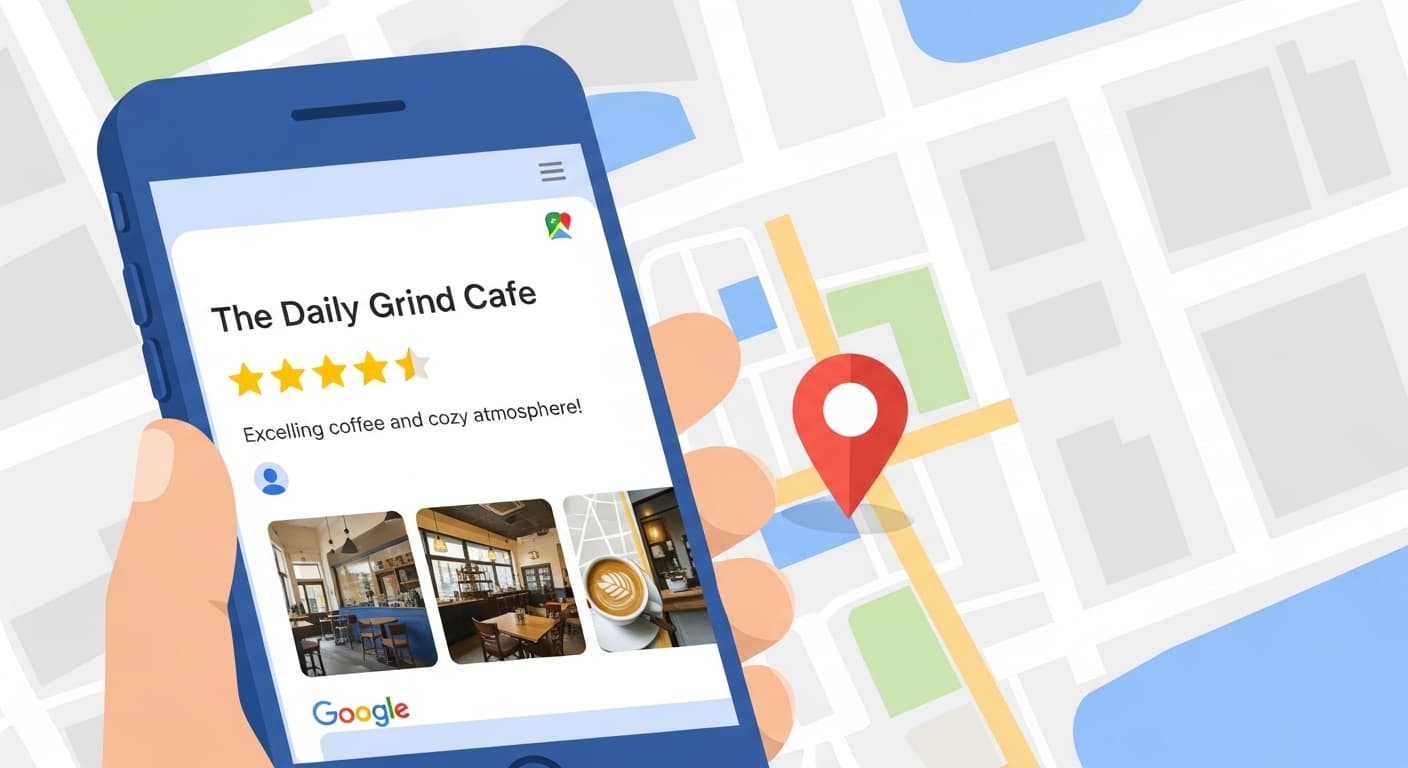
How Kamloops Businesses Get 7x More Customers with Google Business Profile
Why Your Google Business Profile Matters More Than Your Website
In 2026, the way customers find local businesses has fundamentally changed. When someone in Kamloops searches for "emergency plumber" or "HVAC repair near me," they're not scrolling through pages of search results. They're looking at the Local Pack—that map section at the top of Google with three business listings.
If your business isn't in that Local Pack, you're invisible. And what determines whether you show up there? Your Google Business Profile.
The statistics are staggering:
- 76% of local searches result in a visit or call within 24 hours
- 46% of all Google searches have local intent
- Optimized profiles get 7x more website clicks
- Complete profiles generate 2x more calls
- 88% of consumers trust online reviews as much as personal recommendations
For Kamloops businesses, your GBP is often the first impression potential customers have. It's more important than your website, more valuable than traditional advertising, and completely free to optimize.
Understanding Google's Local Ranking Factors
Google ranks local businesses based on three primary factors:
1. Relevance
How well does your profile match what the searcher is looking for? If someone searches "emergency electrician Kamloops," Google looks at your business category, description, services, and posts to determine if you're relevant.
You control relevance by being specific and comprehensive in your profile. Don't just say "contractor"—specify "licensed electrical contractor specializing in emergency residential and commercial repairs."
2. Distance
How close is your business to the searcher? This is the one factor you can't control. If someone in Aberdeen searches for a plumber, businesses in Aberdeen will rank higher than those in Brocklehurst—all else being equal.
However, you can expand your reach by properly setting your service areas. If you serve all of Kamloops plus surrounding areas like Sun Peaks, Chase, and Merritt, make sure those are listed.
3. Prominence
How well-known and trusted is your business? Google measures this through:
- Number and quality of reviews
- Citations (mentions of your business name, address, phone across the web)
- Links to your website
- Social media presence
- How often people click on your listing
- How often people call or visit after seeing your listing
Prominence is built over time through consistent effort and excellent service.
Step 1: Complete Your Profile 100%
Google rewards completeness. Businesses with 100% complete profiles are 70% more likely to attract location visits and 50% more likely to lead to a purchase. Here's every field you need to fill out:
Business Name
Use your actual business name as it appears on your storefront and legal documents. Don't stuff keywords here ("Joe's Plumbing | Emergency Plumber Kamloops BC"). Google will penalize you.
Business Category
Choose your primary category carefully—this is the most important relevance signal. You get one primary category and up to 9 secondary categories.
For a plumbing business, "Plumber" should be primary. Secondary categories might include "Emergency Plumber," "Water Heater Repair," "Drain Cleaning Service," etc.
Business Address (NAP)
Your Name, Address, and Phone number must be identical everywhere online—your website, Facebook, Yelp, industry directories, everywhere. Inconsistencies confuse Google and hurt your rankings.
If you're a service-area business without a physical location customers visit, you can hide your address and just show your service areas.
Service Areas
List every city, town, and neighborhood you serve. For Kamloops businesses, this might include:
- Kamloops neighborhoods: Aberdeen, Brocklehurst, Sahali, Valleyview, North Shore, South Shore, etc.
- Surrounding areas: Sun Peaks, Chase, Barriere, Merritt, Logan Lake, Savona
- Regional: Thompson-Nicola Regional District
The more specific you are, the better you'll rank for searches in those areas.
Hours of Operation
Keep these updated, especially for holidays. If you offer 24/7 emergency service, make sure that's indicated. Google shows "Open now" or "Closed" in search results—being open when competitors are closed is a huge advantage.
Phone Number
Use a local Kamloops number (250 area code) if possible. Toll-free numbers work, but local numbers build more trust with local customers.
Consider using a tracking number so you can measure how many calls come from your GBP listing.
Website URL
Link to your homepage or, better yet, a dedicated landing page for local customers. This page should mention Kamloops prominently and match the services listed in your GBP.
Business Description
You get 750 characters. Use them wisely. Include:
- What you do (specific services)
- Who you serve (residential, commercial, industrial)
- Your experience ("serving Kamloops since 2010")
- What makes you different (24/7 service, licensed and insured, family-owned)
- Local keywords naturally woven in
Example: "Family-owned plumbing company serving Kamloops and the Thompson-Nicola region since 2010. We specialize in emergency repairs, water heater installation, drain cleaning, and commercial plumbing. Licensed, insured, and available 24/7 for emergencies. From Aberdeen to Sun Peaks, we're your local plumbing experts."
Attributes
These are the little tags that appear on your listing. Check every one that applies:
- Wheelchair accessible
- Online booking available
- Free estimates
- Emergency services
- Women-owned
- Veteran-owned
- LGBTQ+ friendly
These help you match specific searches and show customers what to expect.
Services
List every service you offer with descriptions and pricing (if applicable). This is huge for relevance. If someone searches "water heater repair Kamloops" and you have "Water Heater Repair" listed as a service, you're more likely to rank.
For each service, write a brief description and include pricing if you can ("Starting at $150" or "Free estimates").
Photos
Businesses with photos get 42% more requests for directions and 35% more clicks to their website. Upload at least 10 high-quality photos:
- Logo (square, high resolution)
- Cover photo (landscape, shows your business or team)
- Exterior of your building/office
- Interior of your office/showroom
- Your team at work
- Your vehicles/equipment
- Before/after project photos
- Products you sell or install
Update photos monthly. Fresh content signals to Google that your business is active.
Step 2: Master the Review Game
Reviews are the single most important ranking factor you can control. Here's why they matter:
- Businesses with 50+ reviews rank significantly higher than those with fewer
- Recent reviews matter more than old ones
- Review velocity (how often you get new reviews) is a ranking signal
- Keyword-rich reviews help you rank for those keywords
- Response rate to reviews affects your ranking
How to Get More Reviews
1. Ask immediately after service. The best time to ask for a review is right after you've completed a job and the customer is happy. Don't wait. Strike while the iron is hot.
2. Make it easy. Send a text or email with a direct link to your Google review page. The fewer clicks required, the more reviews you'll get.
Your review link looks like this: https://g.page/r/YOUR_BUSINESS_ID/review
3. Ask the right way. Don't say "Can you leave us a 5-star review?" That's against Google's guidelines. Instead: "If you were happy with our service, we'd appreciate if you could share your experience on Google."
4. Follow up. If someone doesn't leave a review after your first request, follow up once more a week later. Don't be pushy, just a friendly reminder.
5. Incentivize (carefully). You can't offer discounts or payments for reviews—that's against the rules. But you can enter reviewers into a monthly drawing for a gift card. The key is that everyone who reviews gets entered, regardless of whether it's positive or negative.
Responding to Reviews
Respond to every review, positive and negative. This shows potential customers you care and gives you another chance to include keywords.
For positive reviews:
"Thanks for the kind words, Sarah! We're glad we could help with your water heater installation in Aberdeen. If you ever need plumbing service in Kamloops again, don't hesitate to call. - Joe's Plumbing"
For negative reviews:
"We're sorry we didn't meet your expectations, John. We take all feedback seriously. Please call us at 250-XXX-XXXX so we can make this right. - Joe's Plumbing"
Notice how both responses include location keywords and your business name? That's intentional.
Step 3: Post Weekly Updates
Google Business Profile posts work like social media. They keep your profile active, give you more chances to show up in search, and provide fresh content for potential customers.
Post at least once per week about:
Special Offers
"$50 off furnace maintenance this month! Keep your Kamloops home warm all winter. Book now: [phone number]"
New Services
"Now offering 24/7 emergency plumbing service in Sun Peaks! Burst pipe? We're there in 30 minutes."
Before/After Photos
"Just completed a full bathroom renovation in Sahali. Swipe to see the transformation!"
Tips and Advice
"Winter is coming! Here are 5 ways to prevent frozen pipes in your Kamloops home..."
Company News
"We're celebrating 15 years serving the Thompson-Nicola region! Thank you, Kamloops!"
Each post can include a photo, up to 1,500 characters of text, and a call-to-action button (Call, Book, Learn More, etc.).
Step 4: Leverage Q&A
The Questions & Answers section is often overlooked, but it's valuable for two reasons:
- Anyone can ask questions—including your competitors trying to make you look bad
- Your answers show up in search results and can include keywords
Don't wait for questions. Ask and answer your own:
Q: "Do you offer emergency plumbing service in Kamloops?"
A: "Yes! We provide 24/7 emergency plumbing service throughout Kamloops and the Thompson-Nicola region. Call 250-XXX-XXXX anytime."
Q: "Are you licensed and insured?"
A: "Absolutely. We're fully licensed, bonded, and insured. All our plumbers are Red Seal certified."
Q: "What areas do you serve?"
A: "We serve all of Kamloops including Aberdeen, Brocklehurst, Sahali, and Valleyview, plus Sun Peaks, Chase, Barriere, and Merritt."
Seed your Q&A with 10-15 common questions. This gives you control over the narrative and loads your profile with keywords.
Step 5: The Kamloops Local Advantage
As a Kamloops business, you have advantages over national chains and Vancouver-based companies. Lean into your local identity:
Use Hyper-Local Keywords
Don't just say "Kamloops." Mention specific neighborhoods, landmarks, and areas:
- "Serving Aberdeen, Brocklehurst, and Sahali"
- "Near Riverside Park"
- "Across from Aberdeen Mall"
- "Proudly serving the Thompson-Nicola region"
- "From Sun Peaks to Merritt"
Highlight Local Involvement
Sponsor a local sports team? Volunteer at community events? Member of the Kamloops Chamber of Commerce? Mention it. Local ties build trust and improve your prominence.
Show Local Knowledge
In your posts and descriptions, demonstrate you understand local issues:
"Kamloops winters are tough on pipes. Here's how to protect yours..."
"With Kamloops' hard water, your water heater needs maintenance every year..."
Step 6: Track Your Results
Google provides free insights showing:
- How many people saw your listing
- How they found you (direct search vs. discovery)
- What actions they took (called, visited website, requested directions)
- Where they're searching from
- What search terms triggered your listing
Check these monthly. If you're not seeing growth, adjust your strategy.
Key Metrics to Watch
Search Impressions: How often your listing appeared in search results. If this is low, you need more reviews and posts.
Search vs. Discovery: "Search" means people looked for your business by name. "Discovery" means they found you while searching for a service. You want discovery to grow.
Actions: Calls, website clicks, and direction requests. If impressions are high but actions are low, your photos and reviews need work.
Search Queries: What terms are people using to find you? If you're not showing up for your main services, add those keywords to your description and services.
Common Mistakes to Avoid
1. Keyword stuffing your business name. "Joe's Plumbing | Emergency Plumber | Kamloops BC | 24/7" will get you suspended.
2. Using a PO Box or virtual office. Google wants real, verifiable addresses. If you're service-area only, hide your address.
3. Creating multiple listings. One business = one listing. Multiple listings will get you suspended.
4. Buying fake reviews. Google's algorithms detect this. You'll get penalized or suspended.
5. Ignoring negative reviews. Respond professionally to every negative review. It shows you care.
6. Inconsistent NAP. Your name, address, and phone must match everywhere online. Fix inconsistencies.
7. Neglecting your profile. Update photos monthly, post weekly, respond to reviews within 24 hours. Active profiles rank higher.
The 90-Day Optimization Plan
Week 1-2: Complete your profile 100%. Fill out every field, upload 10+ photos, add all services.
Week 3-4: Seed your Q&A with 15 questions and answers. Start asking customers for reviews.
Week 5-8: Post twice per week. Focus on getting to 25 reviews. Respond to every review within 24 hours.
Week 9-12: Analyze your insights. Double down on what's working. Aim for 50+ reviews by day 90.
Ongoing: Post weekly, get 2-4 new reviews per month, update photos monthly, respond to all reviews.
When to Get Professional Help
If you're not seeing results after 60 days of consistent effort, your profile needs expert optimization. Common issues we fix:
- Incorrect category selection
- Poor keyword targeting
- Inconsistent citations across the web
- Weak or missing service descriptions
- Low-quality photos
- Suspended or duplicate listings
We've helped dozens of Kamloops businesses dominate local search. If you're ready to get serious about your Google Business Profile, let's talk.
The Bottom Line
Your Google Business Profile is the most powerful free marketing tool available to local businesses. Optimize it properly, and you'll show up when customers search. Neglect it, and you're invisible.
The businesses winning in Kamloops right now aren't necessarily the biggest or oldest. They're the ones with optimized GBP listings, dozens of 5-star reviews, and consistent activity.
Start today. Complete your profile, ask for reviews, post weekly. In 90 days, you'll see the difference.

About Travis Hutton
Founder of Hutton Tech Solutions. 15 years in construction, Red Seal candidate Carpenter. Helping Kamloops businesses grow through automated customer acquisition systems.